Project management software has become the backbone of modern teams. In 2026, it’s no longer just about tracking tasks—it’s about orchestrating workflows, aligning teams, automating repetitive work, and using AI to make faster decisions.
For US-based teams, especially in startups and enterprises, choosing the right project management tool directly impacts productivity, collaboration, and delivery speed. The most popular platforms today are not just widely used—they are trusted because they scale, integrate deeply, and adapt to different workflows.
This guide answers a simple but important question: what are the most popular project management software in 2026, and why one tool stands out above the rest.
Table of Contents
What Makes a Project Management Tool “Popular” in 2026?
Popularity is no longer just about user numbers. The most widely adopted tools today share a few core characteristics:
Scalability across teams
They work equally well for small teams and large enterprises.
Ease of use with depth
Simple enough for beginners, powerful enough for advanced workflows.
Collaboration-first design
Real-time updates, comments, and shared visibility are essential.
AI-powered automation
Modern tools reduce manual work using AI for task creation, summaries, and workflow suggestions.
Integration ecosystem
They connect with tools like Slack, Google Workspace, CRM systems, and developer platforms.
READ MORE – Top 10 Project Management Tools in 2026
The Most Popular Project Management Software in 2026
monday.com
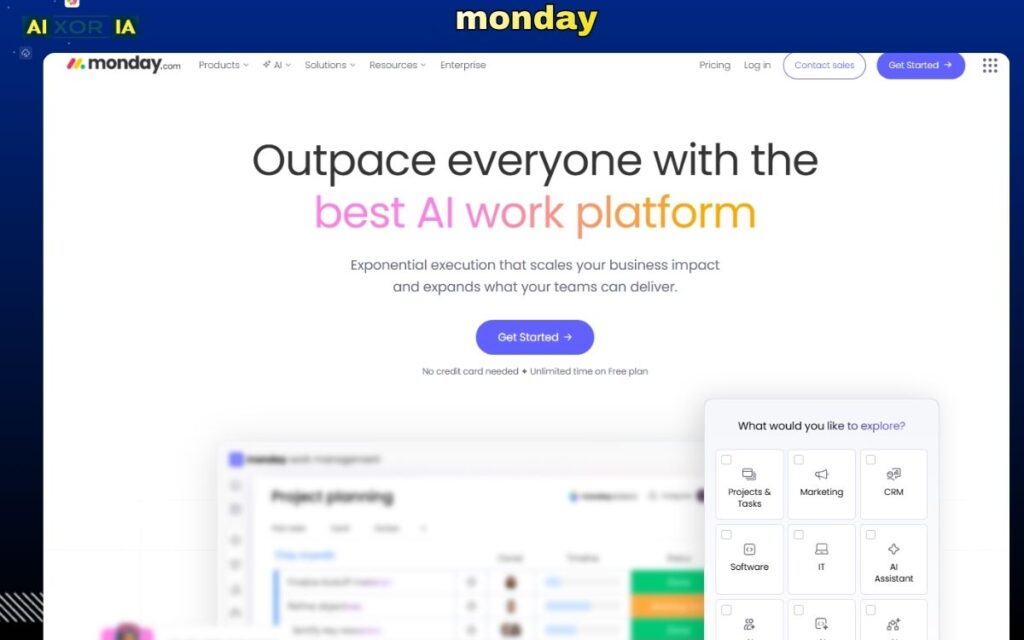
When it comes to balancing usability, flexibility, and scalability, monday.com has become one of the most popular project management software platforms in 2026—especially among US teams.
Originally built as a work management platform, monday.com has evolved into a full Work Operating System (Work OS) that allows teams to manage projects, automate workflows, and visualize progress in multiple ways.
Why monday.com Is So Popular in 2026
monday.com stands out because it adapts to how teams actually work. Instead of forcing a rigid structure, it allows users to build workflows using customizable boards, columns, and automations.
Teams can manage:
- Project timelines
- Task dependencies
- Team workloads
- Cross-department collaboration
All within a visual and intuitive interface.
The platform supports multiple views including:
- Kanban boards
- Gantt charts
- Calendars
- Dashboards
This flexibility makes it suitable for marketing teams, product teams, operations, and even enterprise-level workflows.
AI Capabilities in monday.com (2026)
One of the biggest reasons for its popularity is its growing investment in AI.
monday.com has introduced AI-powered features that go beyond simple automation. Teams can now use AI to generate tasks, summarize updates, predict delays, and streamline communication across projects.
For example:
- AI can convert meeting notes into actionable tasks
- It can summarize long project updates into quick insights
- It helps automate repetitive workflows without manual setup
- It can suggest next steps based on project activity
This significantly reduces the time spent on administrative work and allows teams to focus on execution.
Unlike traditional tools, where automation requires manual configuration, monday.com’s AI layer makes workflows more adaptive and intelligent. This is particularly valuable for fast-moving teams that need to make quick decisions without getting stuck in operational complexity.
Key Features of monday.com
Visual project tracking
Track tasks and progress using boards, timelines, and dashboards.
Custom workflows
Create workflows tailored to your team’s needs with flexible columns and automation rules.
Collaboration tools
Real-time updates, comments, mentions, and file sharing.
Automation engine
Trigger actions based on conditions (status changes, deadlines, etc.).
Integration ecosystem
Connect with tools like Slack, Google Drive, Zoom, and CRM platforms.
Pricing (US Market)
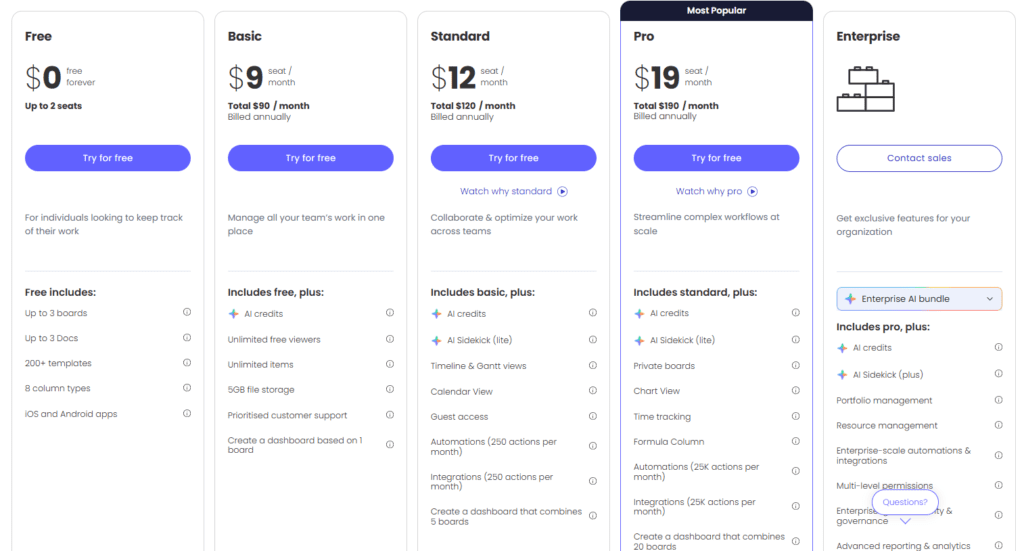
monday.com offers a flexible pricing model:
- Free plan available (limited features)
- Basic plan starts around $9 per user/month
- Standard and Pro plans offer advanced automation and integrations
- Enterprise plans available with custom pricing
Pricing may vary depending on team size and billing cycle.
Pros and Cons
Pros
- Extremely user-friendly interface
- Highly customizable workflows
- Strong collaboration features
- Powerful automation and AI capabilities
- Scales from small teams to enterprises
Cons
- Advanced features require higher-tier plans
- Can become complex with large workflows
- Automation limits on lower plans
READ MORE – Best Software for Project Management
Who Should Use monday.com?
monday.com is ideal for:
- Startups and growing teams
- Marketing and creative teams
- Product and operations teams
- Enterprises needing cross-team coordination
It works best for teams that want flexibility without sacrificing structure.
Limitations to Consider
While monday.com is powerful, it may not be the perfect fit for every use case.
Teams that require highly technical workflows, such as deep software development pipelines, may find more specialized tools better suited for their needs. Similarly, organizations with very strict process requirements might need additional customization or integrations.
Final Thoughts
So, what are the most popular project management software in 2026?
While many tools exist, monday.com stands out as one of the most widely adopted platforms because it combines ease of use, flexibility, scalability, and AI-powered automation in a single system.
Its ability to adapt to different workflows, support collaboration, and reduce manual work makes it a strong choice for modern teams in the US and beyond.