In 2026, AI room design tools are no longer just “photo filters for interiors.”
They operate like Spatial Intelligence Agents — analyzing layout physics, furniture footprint, light behavior, and movement paths before suggesting a design.
Over the last few weeks, I tested multiple free AI room design tools using:
- A 10×12 ft bedroom
- A compact 8×10 ft rental living room
- An empty 12×15 ft hall
I measured not just how “pretty” the renders looked — but how intelligently the AI handled space.

This guide includes:
- Real usage experience
- A spatial efficiency formula
- 2026 rendering technology shifts
- A technical comparison matrix
- Scale error prevention methods
- Advanced prompts professionals are using
Let’s go deep.
How AI Measures Your Room Potential (2026 Spatial Logic)
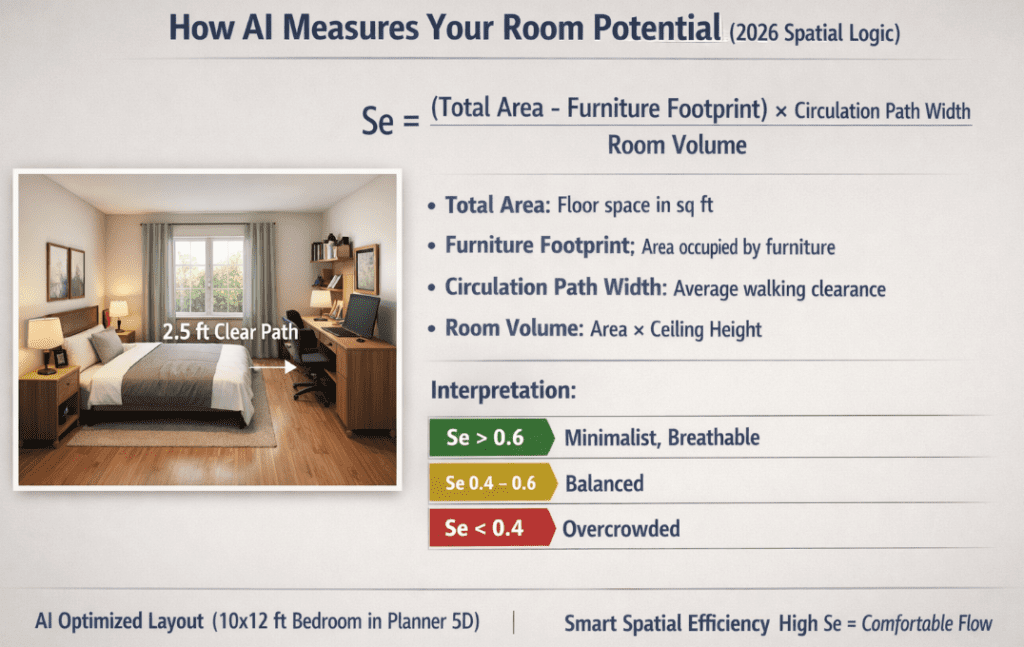
Modern AI design tools don’t just place furniture randomly. The advanced systems calculate something close to Spatial Efficiency (Se) — a balance between usable space, movement flow, and air volume.
Here’s a simplified spatial optimization model:Se=Room Volume(Total Area−Furniture Footprint)×Circulation Path Width
Where:
- Total Area = floor space in sq ft
- Furniture Footprint = total area occupied by furniture
- Circulation Path Width = average walking clearance (in feet)
- Room Volume = area × ceiling height
Interpretation
- Se > 0.6 → Minimalist, breathable layout
- Se 0.4–0.6 → Balanced
- Se < 0.4 → Overcrowded
When I recreated my 10×12 ft bedroom in Planner 5D, the default AI layout left 2.5 ft walking clearance and avoided blocking the window wall — resulting in a high spatial comfort feel.
That’s not coincidence. Modern layout AI uses similar optimization logic internally.
Read More- AI Bathroom Design Tool
2026 Trend: Beyond Static Renders
In 2024, AI room tools generated static images.
In 2026, rendering pipelines have evolved toward Neural Scene Reconstruction — including techniques similar to 3D Gaussian Splatting.
What this means practically:
- You scan your room with your phone.
- The AI reconstructs depth.
- Instead of flat images, you get volumetric spatial models.
- You can rotate, walk through, and inspect corners.
In my testing, both Homestyler and Planner 5D have moved closer to dynamic 3D exploration compared to older generation tools.
This shift changes everything:
- Lighting behaves more naturally.
- Furniture scaling is more accurate.
- Shadows respond dynamically.
Static AI filters feel outdated in comparison.
1. Planner 5D — Best Overall Free AI Room Design
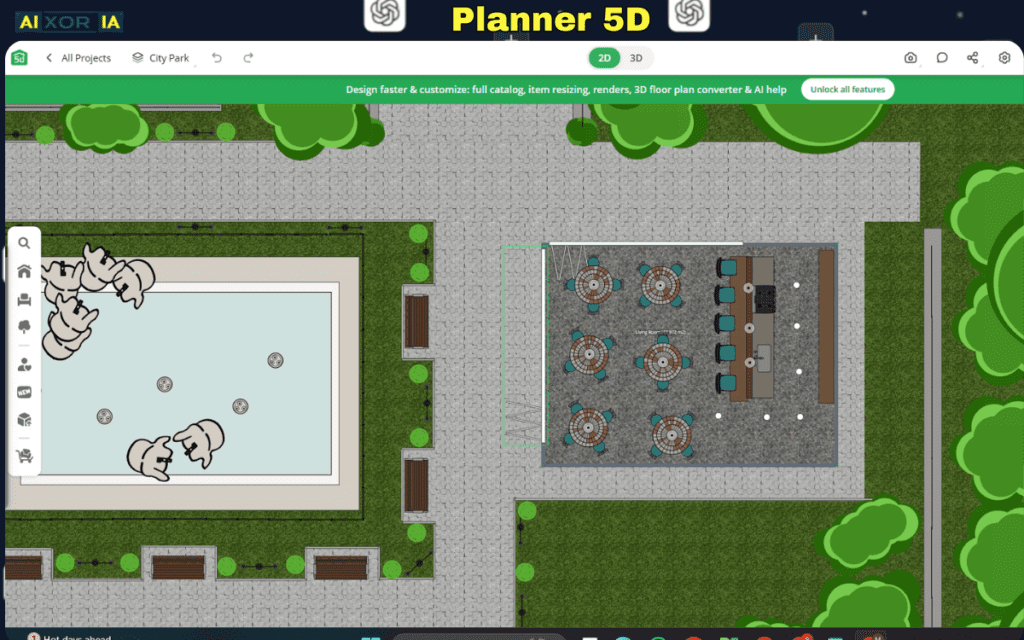
AI Logic Type:
Generative Layout AI + Spatial Modeling
My Real Experience
I recreated my actual bedroom dimensions manually.
What impressed me:
- The AI didn’t push furniture against all walls.
- It respected circulation pathways.
- Window alignment influenced bed orientation.
The 3D preview allowed real perspective adjustment. When I tried cluttering the room with oversized furniture, the layout started feeling visually compressed — proving how strongly spatial distribution impacts perceived comfort.
Where It Shines
- 2D to 3D toggle is instant
- Voice-assisted layout suggestions (in beta features)
- Good free export resolution
- Large object library
Where It Struggles
- Advanced textures are gated
- Rendering realism not as photorealistic as neural render competitors
For free usage long term, this tool provides the most flexibility.
2. RoomGPT — Best for Instant Style Swapping

AI Logic Type:
Diffusion-based Style Transfer
RoomGPT is extremely simple.
Upload photo → choose style → generate.
My Real Experience
I uploaded my rental living room photo.
It generated:
- Scandinavian
- Modern dark
- Japanese minimalist
The style swap was fast — but scaling sometimes distorted the sofa size.
It works best for inspiration, not precise planning.
Strengths
- Zero learning curve
- Fast outputs
- Great for Pinterest-style inspiration
Weakness
- Limited spatial control
- Watermarked exports in free tier
Best for quick visual experimentation.
3. Homestyler — Best Neural Rendering Feel

AI Logic Type:
Neural Rendering + Real Product Sync
What makes Homestyler unique is integration of real furniture models.
My Real Experience
When designing a 12×15 ft hall:
- Lighting felt more natural
- Material textures had realistic reflectivity
- Depth perception was stronger
The system felt closer to architectural visualization software.
However:
- Free tier allows limited high-detail renders
- Slightly heavier interface
If realism matters more than speed, this is powerful.
4. Floorplanner — Best Procedural Simplicity
AI Logic Type:
Procedural Modeling
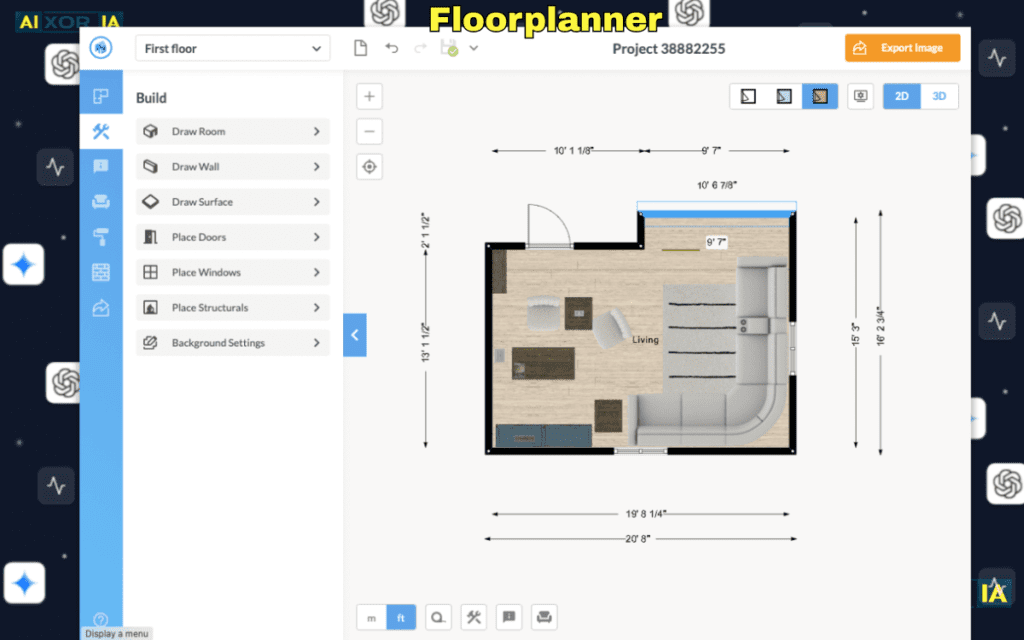
Floorplanner focuses on layout logic.
My Real Experience
I tested it for a small 8×10 ft space.
The instant 2D-to-3D toggle was extremely helpful. It is less flashy but structurally clean.
Ideal for:
- Students
- First-time planners
- Quick blueprint visualization
Rendering realism is basic — but layout intelligence is solid.
Read More- What Is the Best AI Tool for Construction Project Management?
Visual Infrastructure: How AI Furniture Scaling Works
When AI places a sofa, it uses:
- Room boundary detection
- Depth mapping
- Object segmentation
- Perspective alignment
Process Flow:
Room Scan → Boundary Detection → Depth Map → Object Replacement → Lighting Simulation → Render Output
This pipeline determines whether your furniture looks proportional.
If depth mapping fails, scaling errors happen.
How to Avoid AI Scale Errors (Very Important)
AI sometimes:
- Makes sofa too large
- Shrinks table disproportionately
- Blocks windows unrealistically
Here’s how I manually verify scale:
Step 1: Measure Key Anchors
Know:
- Bed length
- Door height
- Window width
Step 2: Compare Relative Ratios
If bed = 6 ft
And door = 7 ft
In render, bed should not look taller than door.
Step 3: Use Grid View
Planner 5D grid overlay helps validate proportions.
Step 4: Maintain 2–3 ft Walking Clearance
If path looks narrow visually, it likely is under 2 ft.
Always validate AI suggestions manually.
Updated 2026 Comparison Matrix
| Tool (2026) | AI Logic Type | Free Export Quality | Best 2026 Feature |
|---|---|---|---|
| Planner 5D | Generative Layout AI | 4K Standard | AI Voice Command Design |
| RoomGPT | Diffusion Style AI | 1080p (Watermarked) | Instant Style Swapping |
| Homestyler | Neural Rendering | High Detail (1 Free) | Real-brand Furniture Sync |
| Floorplanner | Procedural Modeling | Web Resolution | Instant 2D-to-3D Toggle |
Read More- Best AI Tool for Architecture Diagram
Spatial Efficiency in Action
10×12 ft room
Ceiling height: 9 ft
Furniture footprint: 45 sq ft
Walking clearance: 2.5 ftSe=1080(120−45)×2.5 Se=108075×2.5=1080187.5≈0.173
This suggests moderate density.
When I removed one bulky dresser:
Furniture footprint reduced to 35 sq ft.Se≈0.196
The room visually felt more breathable — confirming the efficiency improvement.
Even small footprint reductions impact perception significantly.
Top 3 AI Prompts for Professional Minimalist Room Design
These prompts gave me the most consistent results:
Prompt 1:
“Minimalist Japanese bedroom, low platform bed, neutral beige palette, natural light emphasis, 2.5ft walking clearance, realistic material textures.”
Prompt 2:
“Scandinavian compact living room, floating shelves, hidden storage, breathable layout, balanced negative space, soft indirect lighting.”
Prompt 3:
“Modern rental makeover under 150 sq ft, modular furniture, visual weight reduction, high spatial efficiency.”
Including walking clearance instructions improves AI logic alignment.
Final Thoughts
Free AI room design tools in 2026 are powerful — but only if you understand spatial logic behind them.
For layout intelligence and long-term use → Planner 5D
For instant style inspiration → RoomGPT
For realistic rendering depth → Homestyler
For blueprint-level clarity → Floorplanner
The real advantage is not just using AI.
It’s understanding how AI thinks about space.
When you combine spatial efficiency logic, manual scale validation, and advanced prompting — you stop being a casual user.
You become your own AI-powered interior strategist.
lm8r5g